
This tutorial will help you with the installation of Windows from image (.iso and .img) file using USB Drive. It is step by step method with pictures and screenshots. Without any CD/DVD. All you need is a USB flash drive of at least 4GB for Win 7 and 8GB for Windows 8 or 10. This article is a detailed 100% Working Guide. It covers these topics:
 ⇒ How to Create Windows 7 Bootable USB Drive
⇒ How to Install Windows 7 from ISO File
⇒ Windows 7 USB Installation Guide
⇒ Install Windows 7 on USB
When you download Windows from Microsoft Store or any online source, you download it as an ISO file. An ISO file combines all the Windows installation files into a single uncompressed file – like a DVD clone or backup. With ISO file so you can create (burn) a bootable DVD or USB drive containing Windows installation files.⇒ Install Windows 7 on USB
This allows you to install new Windows OS onto your PC. If you change the boot order of drives in your PC’s BIOS, you can run the Windows installation directly from your DVD or USB drive when you first turn on your computer. You can search for information about how to change the boot order of drives in your PC BIOS.
Windows 7 USB Installation Guide
You need Windows image file + ISO to USB burner software + USB flash drive to create Windows 7 USB Install Disk.
Download and Install Windows 7 USB/DVD tool
This is Microsoft’s genuine tool to make USB drive bootable. It can be downloaded here.
To install the Windows USB/DVD Tool, you must be an administrator on the computer on which you are installing the tool.
For 32bit Windows Users
Users who are running 32bit Windows need following file to burn (copy) 64bit ISO file on USB drive successfully.
Users who are running 32bit Windows need following file to burn (copy) 64bit ISO file on USB drive successfully.
bootsect.exe must be present in the same folder as the .iso file. It can be downloaded here.
For Windows XP Users
The following applications must be installed prior to installing the tool:
The following applications must be installed prior to installing the tool:
Microsoft .NET Framework 2.0 or higher must be installed. It can be downloaded here.
Microsoft Image Mastering API v2 must be installed. It can be downloaded here.
Microsoft Image Mastering API v2 must be installed. It can be downloaded here.
Create Windows 7 Bootable USB Drive From ISO File
After you have downloaded above Windows 7 USB tool. Now Make a USB copy of your Windows ISO file, using this Tool.
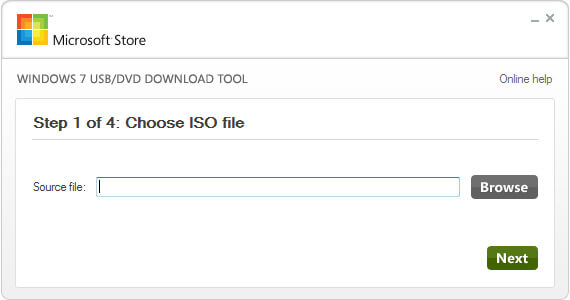
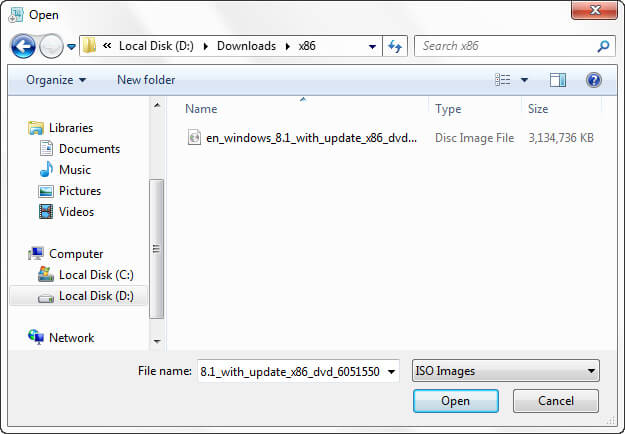
Step 1 – Open this tool from your programs. e.g Start ⇒ All Programs. Click on Browse button and go to path where your windows iso file is located. Select Windows 7 ISO file and click Open.
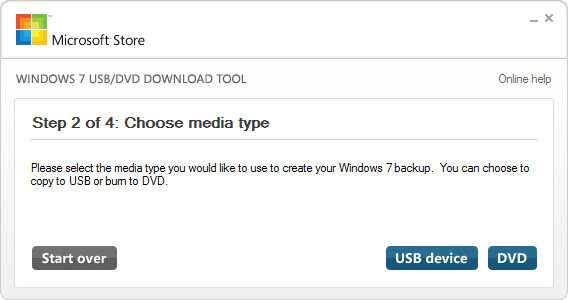
Step 2 – Click on USB Device as media type you would like to use to create windows 7 bootable USB drive.
Step 3 – From Drop Down box select your USB Pen drive letter e.g. H: or I: or G: and then click Begin copying. After the process is completed the USB is now bootable. Turn off your computer and plugin USB. Now Turn on PC and boot from USB. Done.
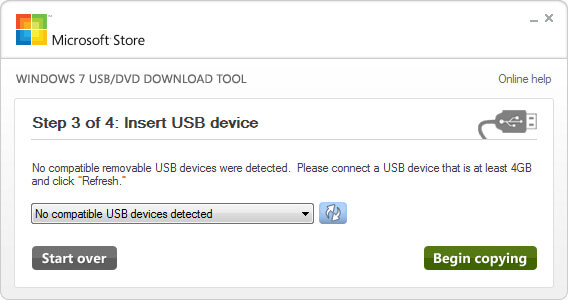
When your Windows ISO file is copied, install Windows by moving to the root folder of your USB drive, and then double-click Setup.exe
Install the Rufus Software and Open it. It can be downloaded here.After you open it. Follow Below Steps:
- Plug in your Pen Drive into USB Flash Port.
- To make a Windows bootdisk (Windows XP/7) select NTFS as file system from the drop down.
- Then click on the buttons that looks like a DVD drive, that one near to the checkbox that says “Create bootable disk using:”
- Choose the XP ISO file.
- Click Start, Done!

